


The Internet is an ever-evolving virtual universe with more than 1.1 billion websites.
Do you think Google can crawl every website in the world?
Even with all the resources, money, and data centers Google has, it can’t even crawl the entire web, nor does it want to.
What is the crawl budget and is it important?
Crawl budget refers to the amount of time and resources Googlebot spends crawling web pages for a domain.
It is important to optimize your site so that Google finds your content faster and indexes your content, which could help you get better visibility and traffic.
If you have a large site that has millions of web pages, it’s especially important to manage your crawl budget to help Google crawl your most important pages and better understand your content.
Google claims that:
If your site doesn’t have a large number of rapidly changing pages, or if your pages appear to have been crawled the same day they’re published, keep the sitemap updated i checking index coverage it is usually enough. Google also states that each page must be reviewed, consolidated and evaluated to determine where it will be indexed once it has been crawled.
Crawl budget is determined by two main elements: crawl capacity limit and crawl demand.
Crawl demand is how much Google wants to crawl your website. The most popular pages, meaning a popular CNN story and pages that experience significant changes, will be crawled more.
Googlebot wants to crawl your site without overwhelming your servers. To avoid this, Googlebot calculates a crawl capacity limit, which is the maximum number of simultaneous parallel connections Googlebot can use to crawl a site, as well as the delay time between retrievals.
Taking into account crawling capacity and crawling demand, Google defines a site’s crawl budget as the set of URLs that Googlebot can and wants to crawl. Even if the crawl capacity limit is not reached, if crawl demand is low, Googlebot will crawl your site less.
Here are the top 12 tips for managing your crawl budget for large and medium-sized sites with 10,000 to millions of URLs.
1. Determine which pages are important and which should not be crawled
Determine which pages are important and which are not so important to crawl (and therefore visited less frequently by Google).
Once you’ve determined this through analytics, you can see which pages on your site are worth crawling and which pages on your site aren’t worth crawling and exclude from crawling.
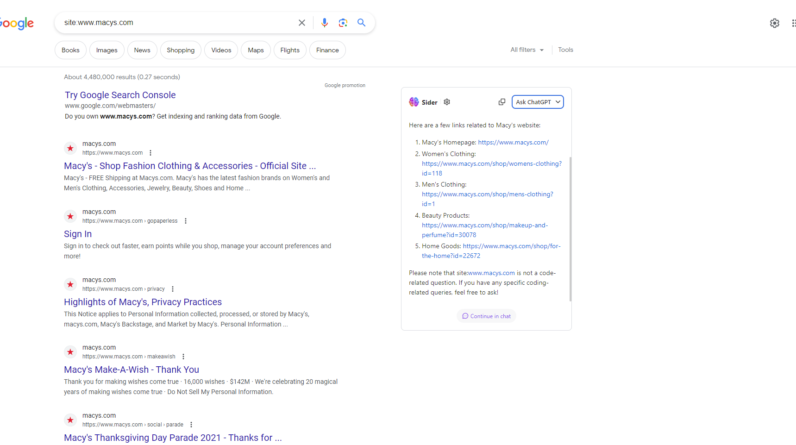
For example, Macys.com has over 2 million pages indexed.
Screenshot of the search for [site: macys.com]Google, June 2023Manage your crawl budget by telling Google not to crawl certain pages on your site because you restricted Googlebot from crawling certain URLs in your robots.txt file.
Googlebot may decide it’s not worth its time to look at the rest of your site or increase your crawl budget. Make sure of it Faceted navigation and session identifiers: They are blocked by robots.txt
2. Manage duplicate content
While Google does not issue a penalty for having duplicate content, you want to provide Googlebot with original and unique information that meets the information needs of the end user and is relevant and useful. Make sure you use the robots.txt file.
Google stated that it will not use any index as it will still request but then stop.
3. Block unimportant URL crawling using Robots.txt and tell Google which pages to crawl
For an enterprise site with millions of pages, Google recommends blocking crawling of unimportant URLs using robots.txt.
Also, you want to make sure that Googlebot and other search engines allow crawling of your important pages, directories that contain your golden content, and money pages.
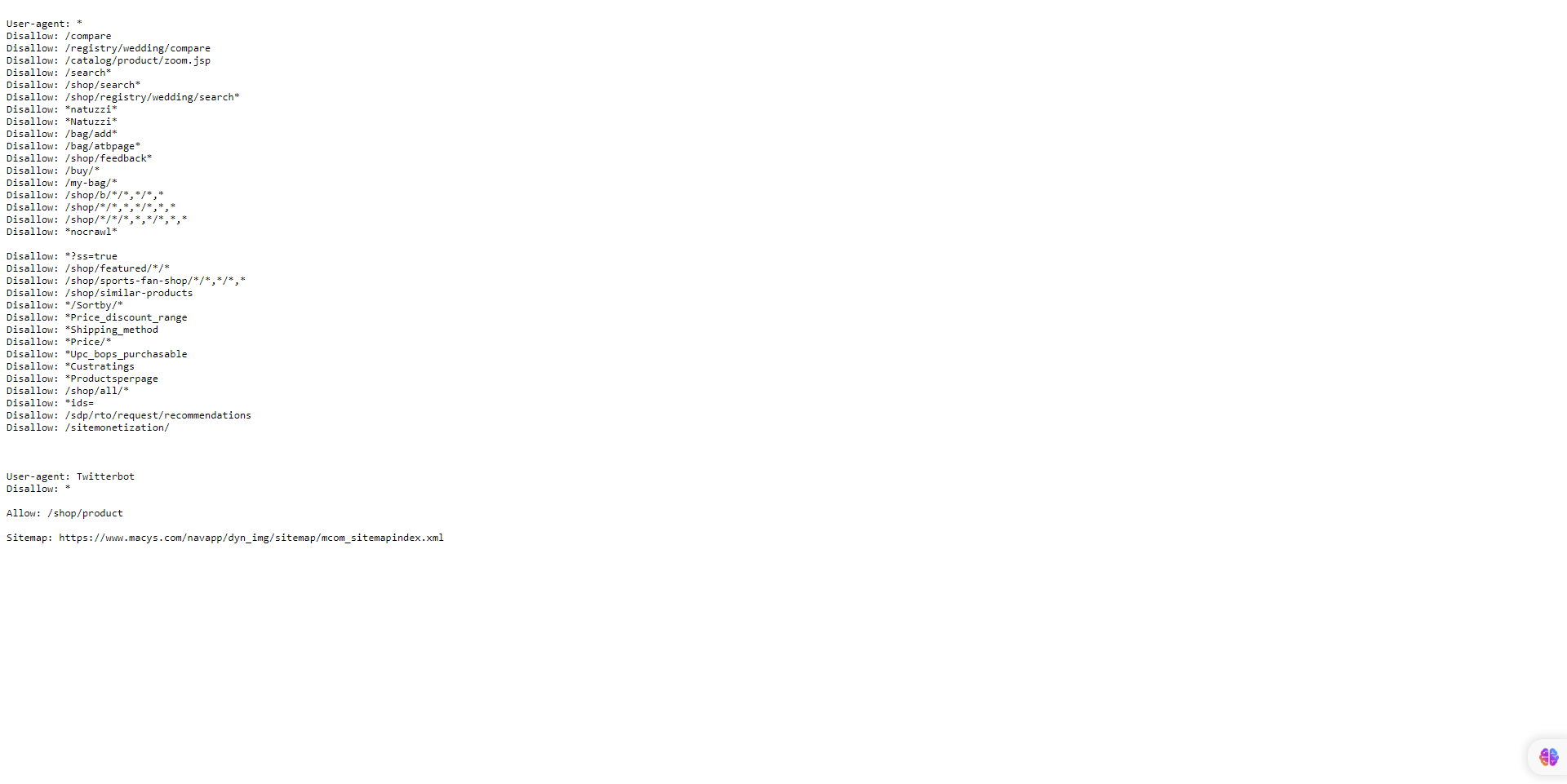 Screenshot by the author, June 2023
4. Long redirect chains
Keep your number of redirects to a small number if you can. Having too many redirects or redirect loops can confuse Google and reduce your crawl limit.
Google claims that long redirect strings can have a negative effect on crawling.
5. Use HTML
Using HTML increases the odds that a crawler from any search engine will visit your website.
Although Google’s bots have improved when it comes to crawling and indexing JavaScript, other search engine crawlers are not as sophisticated as Google and may have problems with languages other than HTML.
6. Make sure your web pages load quickly and provide a good user experience
Get your site optimized for Core Web Vitals.
The faster your content loads, i.e. less than three seconds, the faster Google can provide information to end users. If they like it, Google will continue to index your content because your site will show Google’s crawl health, which can increase your crawl limit.
7. Have useful content
According to Google, content is ranked by quality, regardless of age. Create and update your content as needed, but there is no added value in artificially making pages look new by making trivial changes and updating the page date.
If your content meets the needs of end users and is useful and relevant, it doesn’t matter if it’s old or new.
If users are not finding your content useful and relevant, I recommend that you refresh and update the content to make it fresh, relevant and useful and promote it through social media.
Also, link your pages directly to the home page, which may be considered more important and crawled more often.
8. Beware of tracking errors
If you’ve deleted some pages from your site, make sure the URL returns a 404 or 410 status for permanently deleted pages. A 404 status code is a strong signal not to crawl that URL again.
However, blocked URLs will remain part of your crawl queue for much longer and will be crawled again when the block is removed.
Also, Google claims to remove any soft 404 pages, which will continue to be crawled and waste your crawl budget. To try it, go to GSC and check yours Index coverage report for soft 404 errors.
If your site has many 5xx HTTP response status codes (server errors) or connection timeouts indicate otherwise, crawling slows down. Google recommends paying attention to the Crawl Statistics report in Search Console and keeping the number of server errors to a minimum.
By the way, Google does not respect or adhere to the non-standard robots.txt “crawl delay” rule.
Even if you use the nofollow attribute, the page can still be crawled and your crawl budget wasted if another page on your site, or any page on the web, doesn’t tag the link as nofollow.
9. Keep your sitemaps up to date
XML sitemaps are important in helping Google find your content and can speed things up.
It is extremely important to keep your sitemap URLs up to date, use
Include only the URLs you want search engines to index. Only include URLs that return a 200 status code. Make sure a single sitemap file is less than 50MB or 50,000 URLs, and if you decide to use multiple sitemaps, create a site map index which will list them all. Make sure your sitemap is Encoded UTF-8. To include links to localized versions of each URL. (I will see Google documentation.)
Keep your sitemap up to date, i.e. update your sitemap every time there is a new URL or an old URL has been updated or deleted.
10. Build a good site structure
Having a good site structure is important to your SEO performance for indexing and user experience.
Site structure can affect search engine results page (SERP) results in a number of ways, including crawling, click-through rate, and user experience.
Having a clear, linear structure to your site can use your crawl budget efficiently, which will help Googlebot find any new or updated content.
Always remember the three-click rule, that is, any user should be able to go from any page on your site to another with a maximum of three clicks.
11. Internal link
The easier it is for search engines to crawl and navigate your site, the easier it is for crawlers to identify your structure, context, and important content.
Having internal links pointing to a web page can inform Google that that page is important, help establish a hierarchy of information for the given website, and can help spread link equity on your site.
12. Always monitor crawl statistics
Always review and monitor GSC to see if your site is experiencing issues during crawling and look for ways to make crawling more efficient.
You can use the Crawl statistics report to see if Googlebot is having trouble crawling your site.
If errors or availability warnings are reported to GSC for your site, search for cases at host availability charts where Googlebot requests exceed the red boundary line, click on the chart to see which URLs were failing and try to match them to issues on your site.
Also, you can use the URL Inspection Tool to test some URLs on your site.
If the URL inspector returns host load warnings, it means that Googlebot can’t crawl as many URLs on your site as it has discovered.
wrapping
Optimizing your crawl budget is crucial for large sites due to their sheer size and complexity.
With numerous pages and dynamic content, search engine crawlers face challenges to efficiently and effectively crawl and index site content.
By optimizing your crawl budget, site owners can prioritize crawling and indexing important and up-to-date pages, ensuring search engines spend their resources wisely and effectively.
This optimization process involves techniques such as improving site architecture, managing URL parameters, setting crawl priorities, and removing duplicate content, leading to better search engine visibility, better user experience, and increased organic traffic for large websites.
More resources:
Featured Image: BestForBest/Shutterstock
[ad_2]
Source link





