


Artificial intelligence is not new to search engine optimization. But the emergence of free or inexpensive AI tools like ChatGPT, Jasper, and RankIQ has caused a lot of angst, as they can all produce optimized content at scale.
Google has not published a definitive policy on the indexing and ranking of fully AI-generated information. In their explanation of “useful content”, Google simply he advises against “extensive automation”. Google’s John Mueller is more direct, affirming Google doesn’t want AI-generated content.
However, AI tools are useful beyond content generation. For example, the tool can analyze content and provide SEO recommendations!
Using screenshots from the soon-to-be-premium ChatGPT, here are five “safe” ways to use AI-powered automation in SEO.
Generate schema code
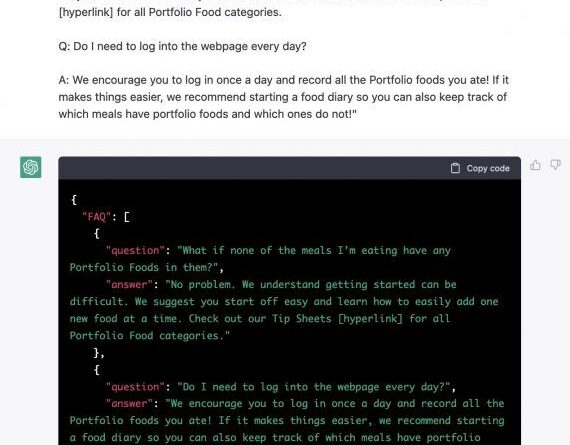
Schema.org markup helps Google understand a web page. It also facilitates rich snippets in organic search results. There is no shortage of schema generators, but ChatGPT is among the best because it requires little instruction, saving you time. Simply copy and paste your content into the tool and request a specific schema code.
ChatGPT doesn’t need many instructions to generate Schema.org code. Click on the image to enlarge it.
Alternatively, copy and paste your content and let ChatGPT suggest schema types. The tool can also generate HTML, CSS and other types of code.
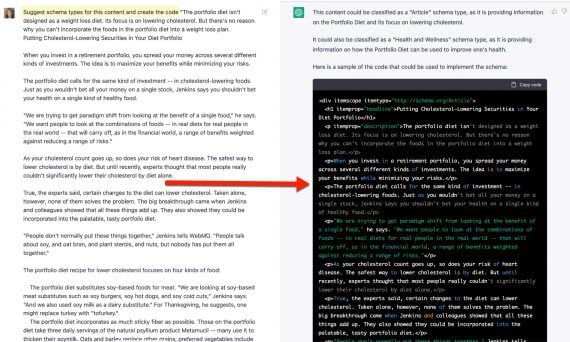
Copy and paste your content and let ChatGPT suggest schema types. Click on the image to enlarge it.
Improve content
Grammatical and spelling errors hurt usability and reflect poorly on a brand. Robust checkers like Grammarly are a staple of writers and editors. But AI tools address more than just grammar and spelling. They can reorganize an article, summarize it, add bullets, and even suggest subheadings.
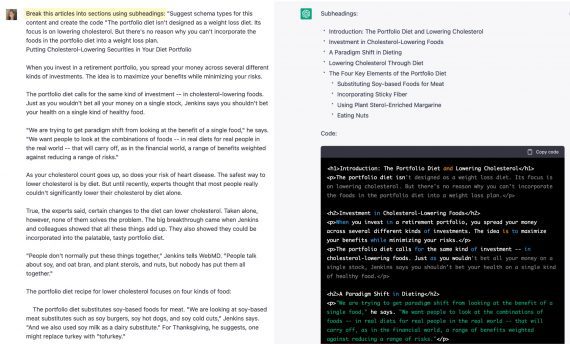
ChatGPT can reorganize an article, summarize it, add bullets and even suggest subtitles. Click on the image to enlarge it.
Create meta descriptions
Google ignores meta descriptions for organic rankings. But show those descriptions in search result snippets. So making sure all pages have a meta description helps control the appearance of snippets and therefore clicks.
Using AI to generate a page summary can save time and presumably won’t violate Google policies as the algorithm ignores it.
Ask ChatGPT to summarize a page in a sentence or two. The result is a draft meta description. Then edit it and add keywords, which appear in bold in snippets when searched by search engines.

ChatGPT can summarize a page in a sentence or two, resulting in a draft meta description. Click on the image to enlarge it.
Organize keywords by intent
Google tries to understand a searcher’s intent when ranking pages in organic results. But it is often not clear. For example, the query intent for “healthy meals” could be for restaurants, home dinner suggestions, or organic grocery stores.
SEO keywords differ based on intent. Generating these words and phrases manually can take a lot of time and effort.
ChatGPT can handle this task quickly and efficiently. Copy and paste a list of keyword ideas and ask ChatGPT to organize it by search intent. The tool is less accurate on long lists, in my experience. Therefore, you may need to break the list into segments.
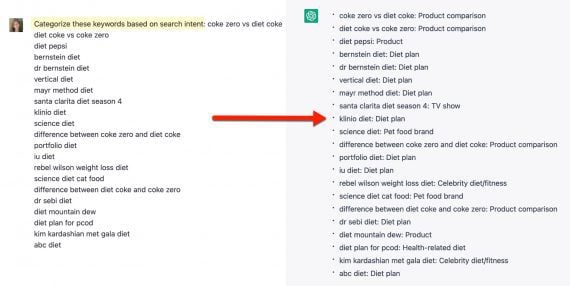
ChatGPT can organize keywords by search intent. Click on the image to enlarge it.
Generate title ideas
Creating clickable title tags can be a challenge. AI tools can brainstorm with little instruction or specific direction, such as “how-to” content.

AI tools can brainstorm title tag suggestions even with little instruction, such as this example from ChatGPT for “portfolio diet” ideas. Click on the image to enlarge it.
—

Suggested title tags can be specific, such as “how to” in this ChatGPT example. Click on the image to enlarge it.
[ad_2]
Source link





