


Whether you’re an in-house SEO expert or a digital agency professional, chances are you’ve experienced one or more of these all-too-familiar problems:
Feeling drowned in an ocean of ever-evolving industry trends. Spending forever in the setup phase, creating delivery trackers, audit sheets, keyword map templates, content summaries, and backlog preparation can feel like you’re on a never-ending treadmill.
Yes, I’ve been there too. I felt the unrelenting turmoil and knew that something had to change drastically if I wanted to continue growing as an SEO.
This realization led me to discover the game-changing concept of building a “second brain,” an idea popularized by Tiago Forte.
I have since applied this concept to my SEO practices. Next, I’ll explain how you can create your own second SEO brain.
Why You Should Consider Building a Second SEO Brain
Before building a second brain, let’s examine where an organic brain excels and where it falls short. Here’s a quick snapshot:
Our brains are great at:
Generate original ideas. Interconnecting ideas and spinning compelling narratives. Foster empathy with others.
But terrible in:
Retention of information for an extended period. Segmentation and categorization of stored data. Recovery and application of stored information.
By delegating these latter tasks to an external database or “second brain,” you can better store and retrieve key documentation, templates, and learnings between websites.
Most importantly, you’ll never forget crucial information when you need it most.
How to start building your own second SEO brain
Building your second brain can seem daunting at first, but take it one step at a time and you’ll get there. Get started with the following steps and tips:
Choosing the Right Tools for Your Way of Working Structuring Your Second Brain with the PARA System Getting Your Second Brain Working: Get Started with Idea Capture A Quick Tour of My Own SEO Second Brain
You can use many systems and platforms to build a second brain. It all depends on your preferences and which platform you are most comfortable with.
I use Notion to build my second SEO brain (and operate most of my SEO projects), so I’ll be using Notion examples throughout this article.
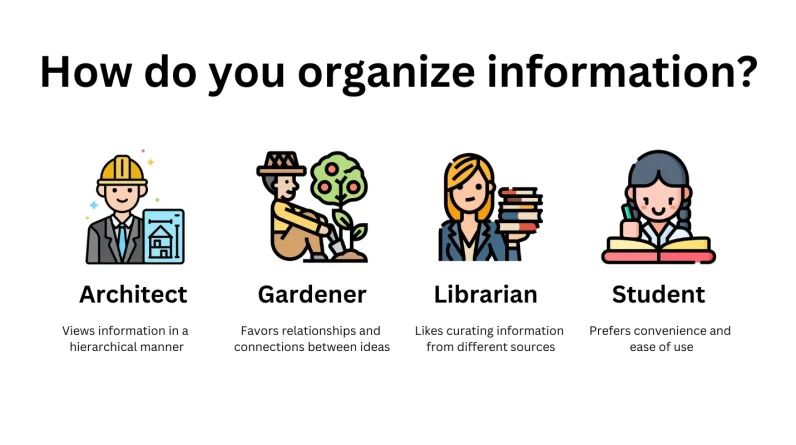
A good way to identify which tool to use to build your second SEO brain is to know your style of information organization. Here are some examples that Forte mentions:
the architect: Prefers to systematize information hierarchically, focusing on large-scale projects and using a systems mindset. They must be careful not to force information into their system when it does not fit. Apps like Notion and Craft fit this style very well.
the gardener: Thrives by cultivating many ideas at the same time, fostering relationships and connections. They must be careful not to be easily distracted by new and unrelated information. Apps like Obsidian and Roam fit this style very well.
The librarian: Practical and project-oriented, they like to gather information from various sources and retain a collection of knowledge. Their catch could be to accumulate content without using it. Apps like Evernote and Microsoft OneNote lend themselves well to this style.
The student: They are usually new to knowledge management or focused on a specific part of their life. They promote ease of use and avoid complexity. Applications such as Apple Notes or Google Keep are very well suited to this style.
Structuring your second brain with the PARA system
The PARA system means:
pProjects: Specific tasks linked to a goal or deadline.
Areasons: responsibilities that must be maintained over time.
Resources: A subject or subject of permanent interest.
Aarchives: inactive items from the other three categories.
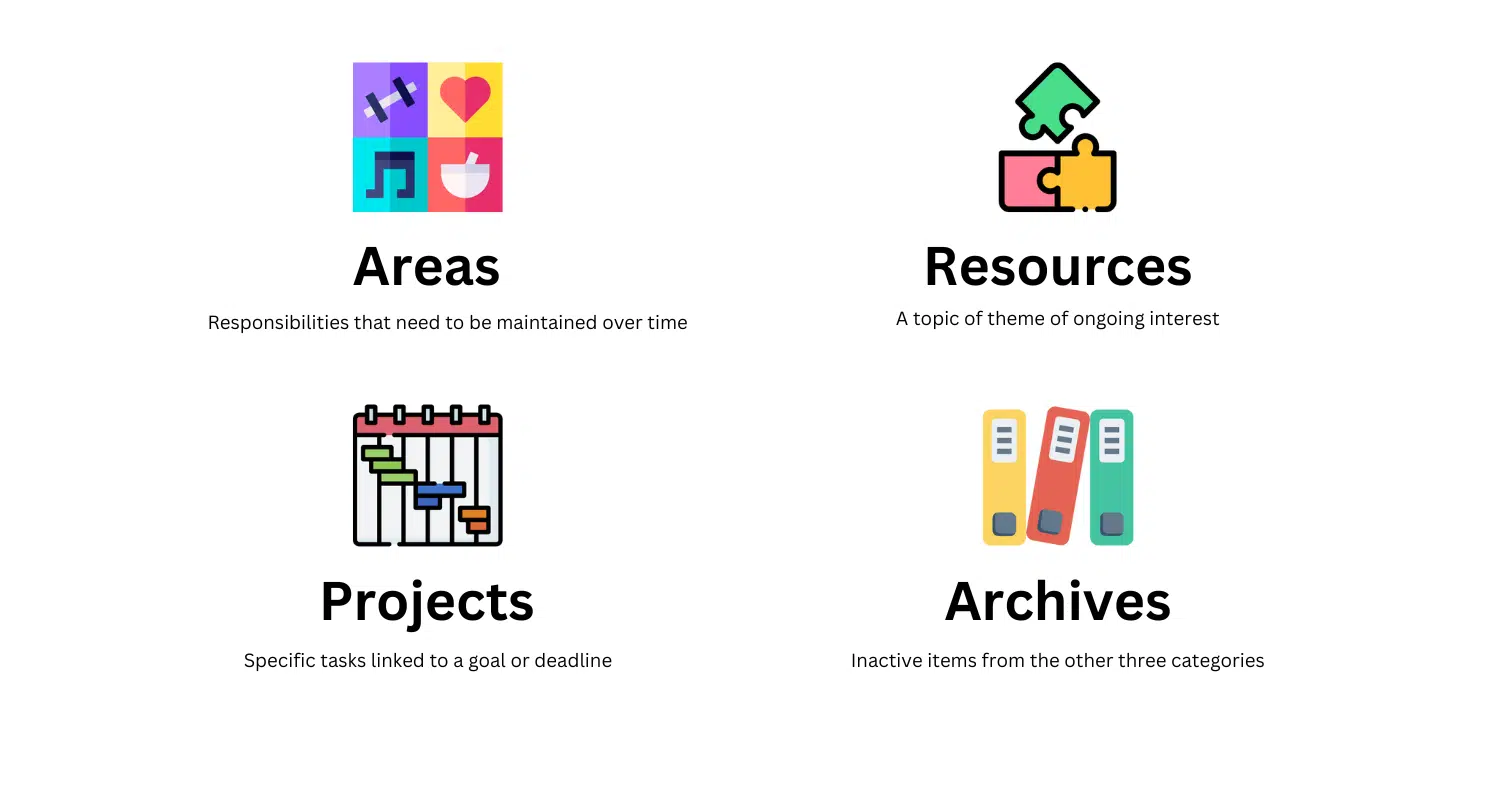
Here are some examples of which SEO tasks fit into each category.
Projects: Your most important and time-sensitive tasks.
Example: Optimize your internal link structure for a top landing page at the end of the week.
Areas: Your optimization efforts and routine tasks.
Example: Create monthly performance reports.
Resources: Shared credentials and background information.
Example: CMS logins and target people.
Archives: Tasks performed and documentation
Example: Title tags updated in the last 24 months.
I have adopted some version of the PARA framework to manage SEO campaigns for over 35 websites.
It’s a game changer to help me get the most impactful tasks done first and still deliver smaller problems.
But how does this help me manage SEO projects better?
Traditionally, SEOs tend to structure our work into static categories like keyword research, technical auditing, link building, and content production. However, this does not reflect the dynamic nature of SEO projects.
This conventional, static way of organizing information is like sorting your kitchen by individual ingredients rather than by use and priority (a fun analogy credited to Forte).
Wouldn’t it be weird to organize your kitchen with carrots, potatoes and fruits instead of kitchenware, pantry items and the contents of the fridge?
Like kitchens, static file structures can lead to “cross-contamination” between old and new documents, making it difficult to locate the most relevant information quickly.
Enter the PARA framework – a dynamic solution that reflects the changing priorities of an SEO project:
Immediate concerns reside in the Project folder. The work in progress belongs to the Area folder. Subject and research material is saved in the Resources folder. Completed tasks and old data are sent to the Archives folder.
This way, PARA keeps your SEO project smooth, organized and current.
Operating the second brain: It starts with capturing ideas
Let’s say you’ve created a second SEO brain of your own. How do you make the best use of it?
For me, it’s about capturing ideas. This is the act of quickly and effortlessly storing the information you have encountered throughout the day into a temporary repository.
It is the most important mechanism to master in order to operate a second brain.
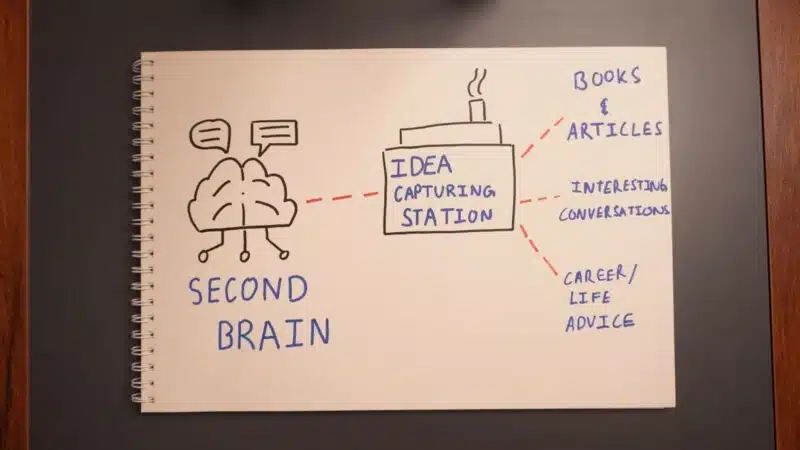
This is because it allows me to quickly and passively store new information in a temporary space in my second brain so that I can review it and move it to the relevant sections of the brain.
These may include:
Major algorithm or sector updates. Interesting articles about new tactics I can apply to my own websites. Add notes and meeting recordings throughout the day. Deep conversations I’ve had with my colleagues.
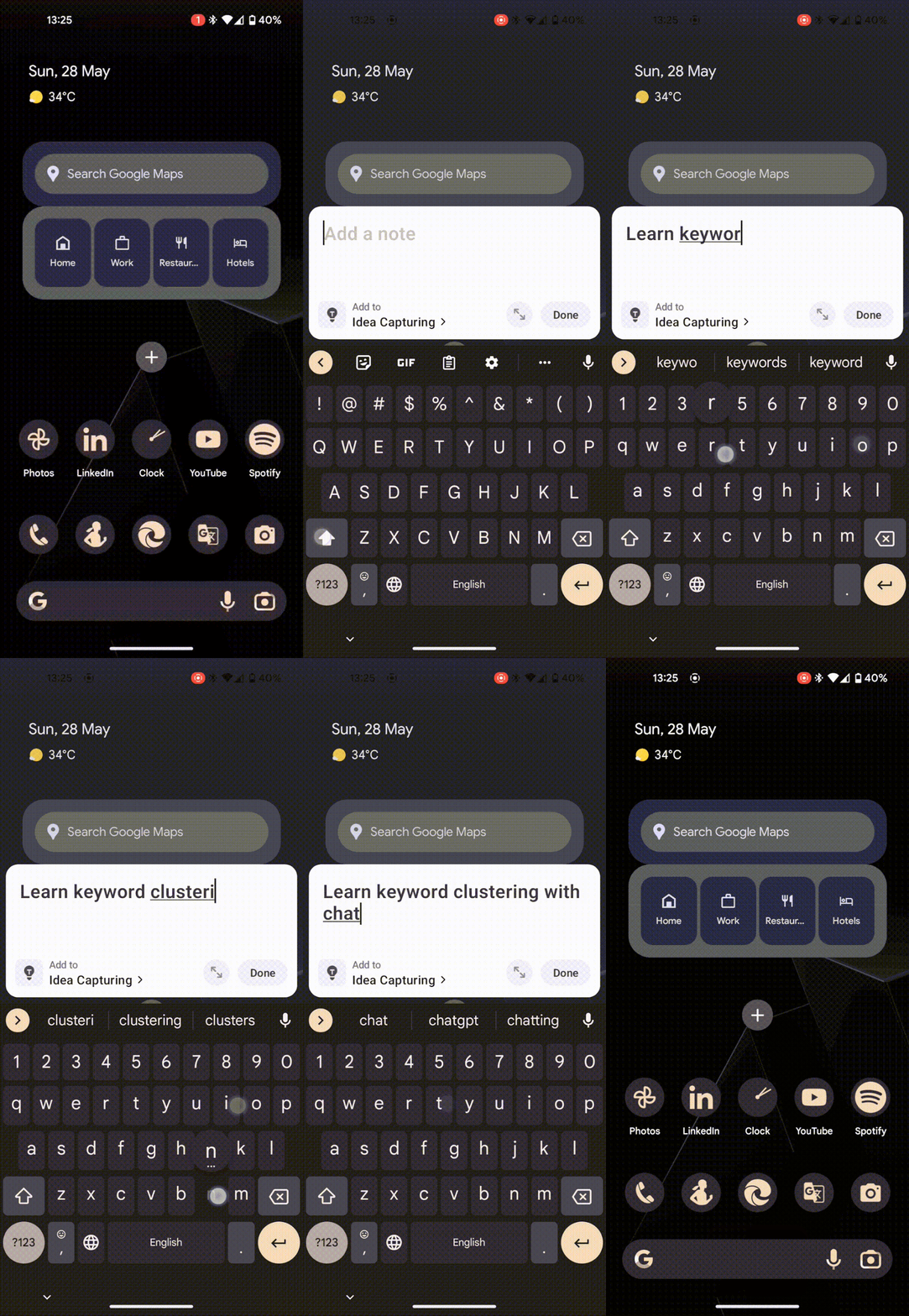
I’ve created a blank page in my second brain called the Idea Capturing Station, intended to do this, keeping it immediately accessible at all times on both desktop and mobile.
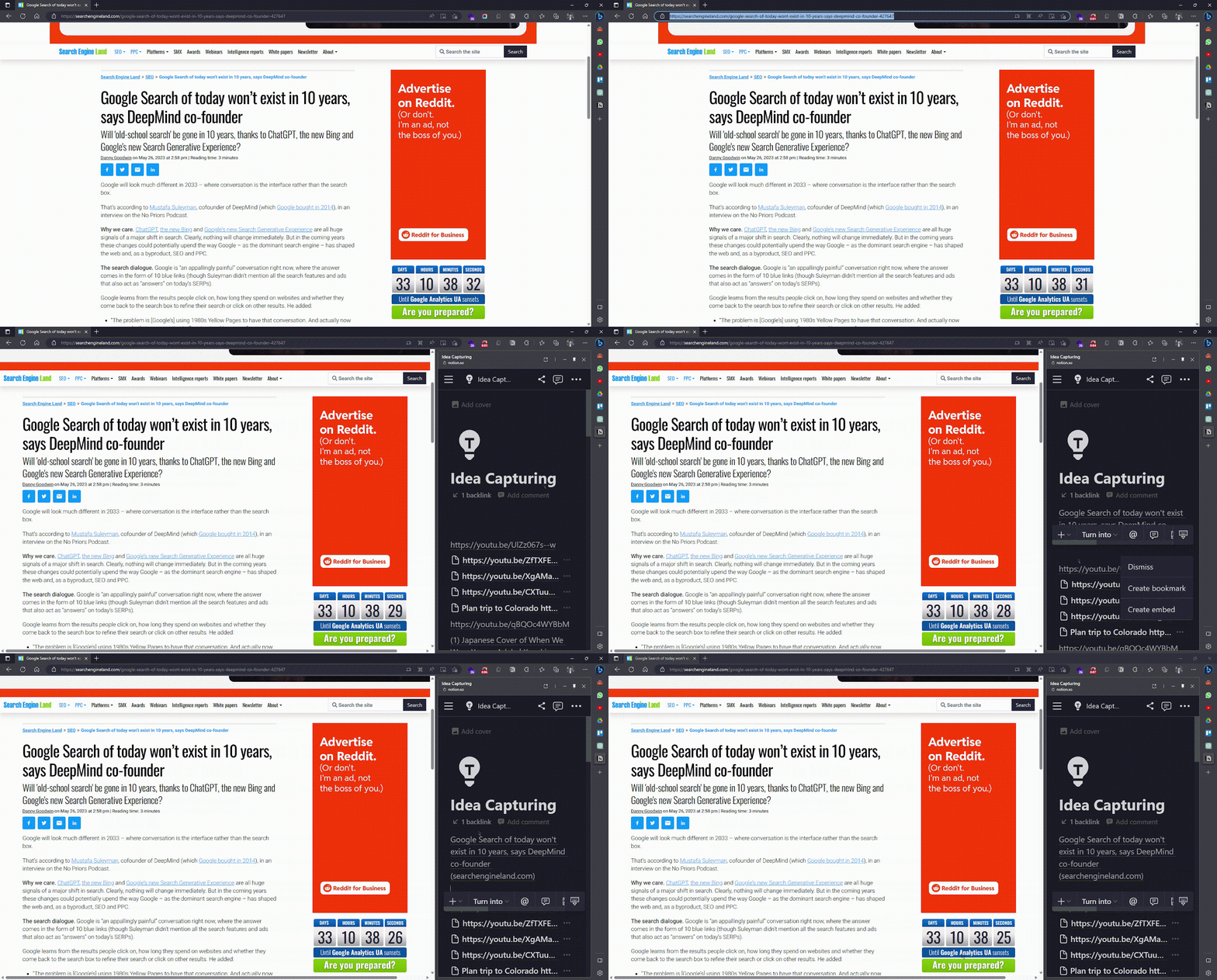
Here’s an example of how I quickly capture an interesting article on my desktop:
And this is how I quickly capture a new idea on mobile:
A quick tour of my own SEO second brain
Here’s a quick snapshot of what my second SEO dashboard looks like.
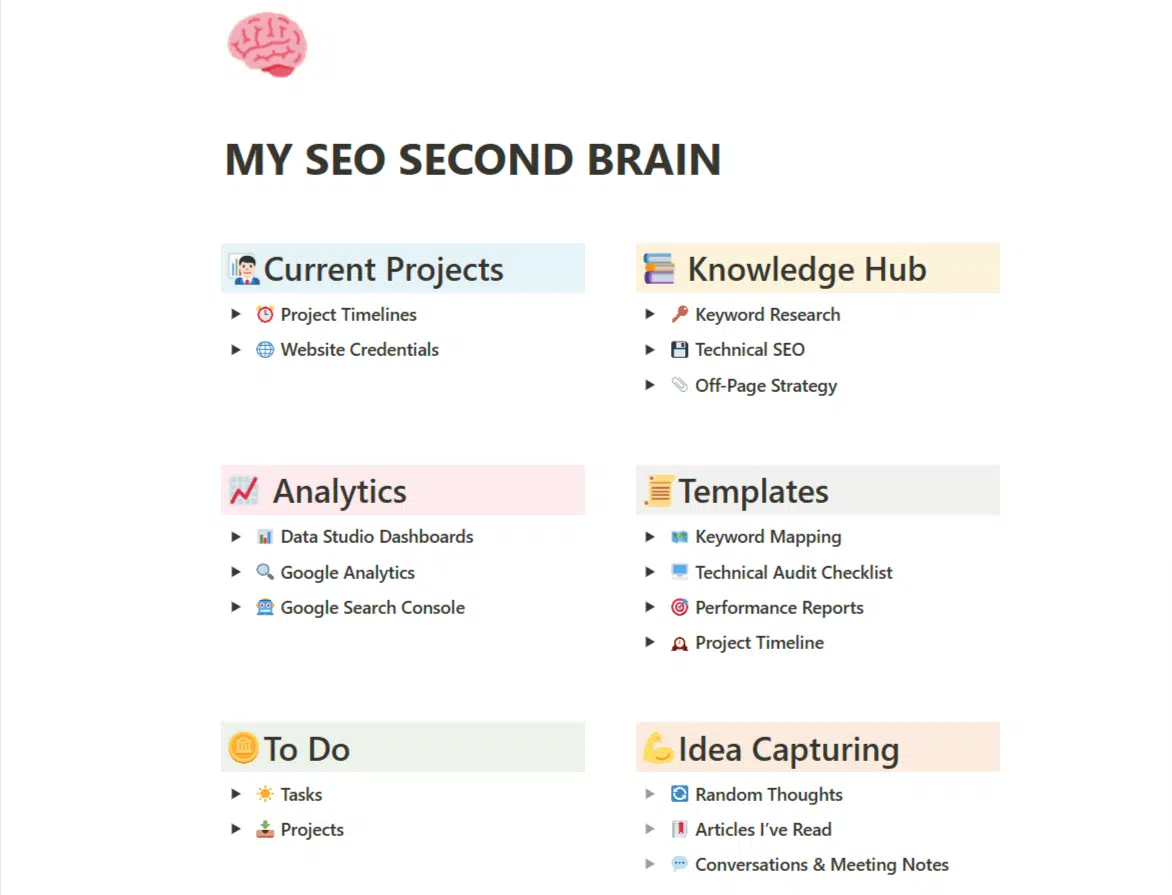
Each of these individual areas, such as the Project Timeline, links to separate databases where it stores and organizes information hierarchically. That’s okay. I am a classic architect when it comes to organizing information.
In reality, however, I rarely use this board. I use the tool’s internal search function to find specific areas of my second brain that I want to navigate.
For example, if I’d like to find one of my project timelines, I can search for it and jump right to it like that.
Construction of reusable templates
One of the most useful “powers” of this second brain is its ability to create reusable templates, which gives me almost instant setup every time we bring a new client into my agency.
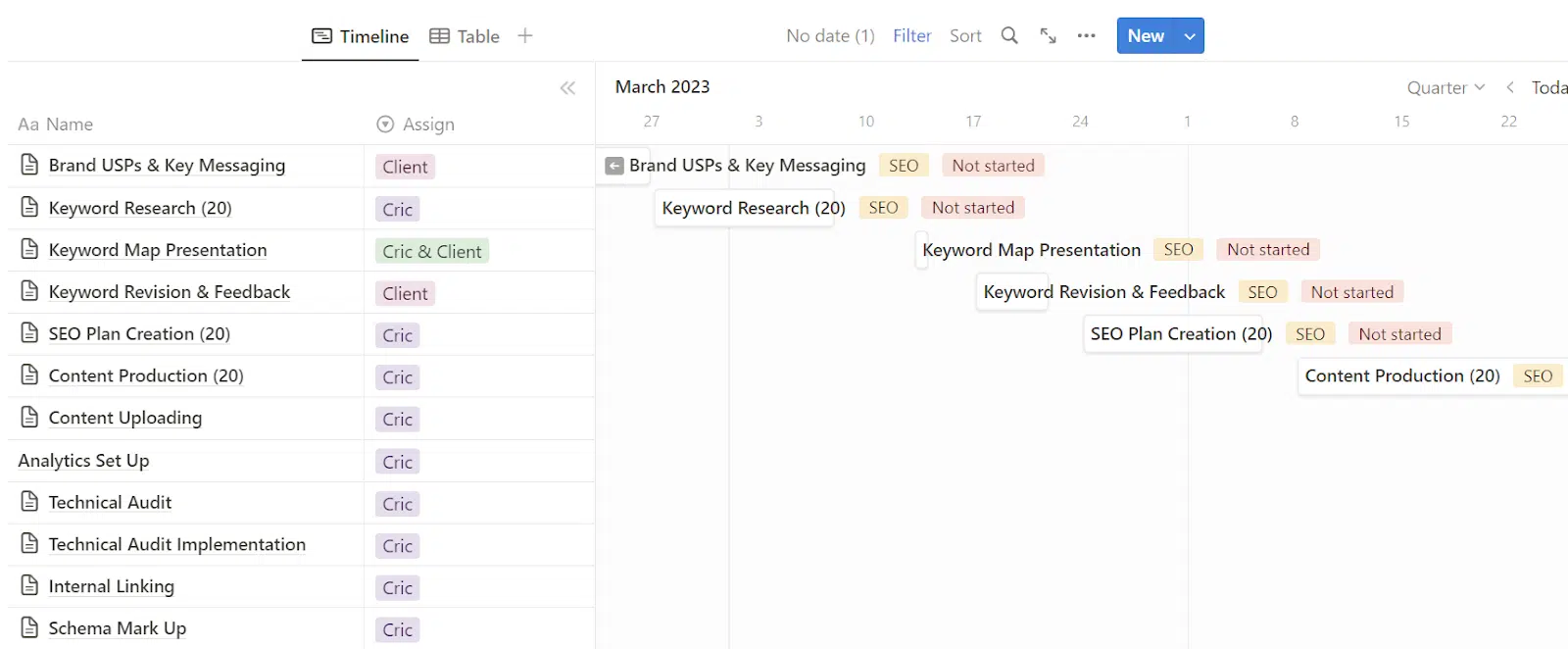
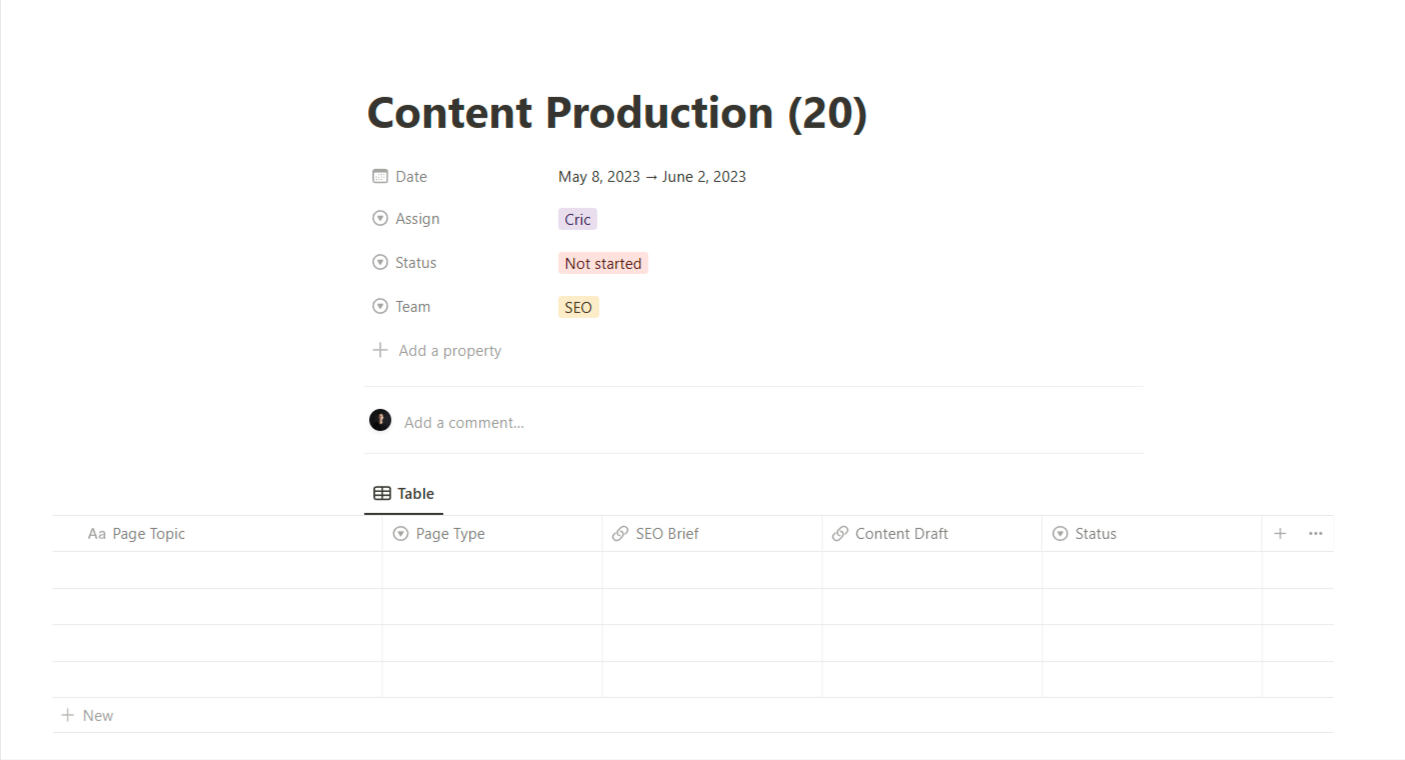
With just a few clicks, I can populate an entire SEO roadmap timeline, each split into tickets with specified templates to delegate to team members and share with clients. Here are a few examples:
Keyword mapping

Content production
Documentation at hand
What about that time you forgot a key piece of information or statistic while meeting with stakeholders?
I have a database called the Knowledge Bank that allows me to get key information to refer to at all times.
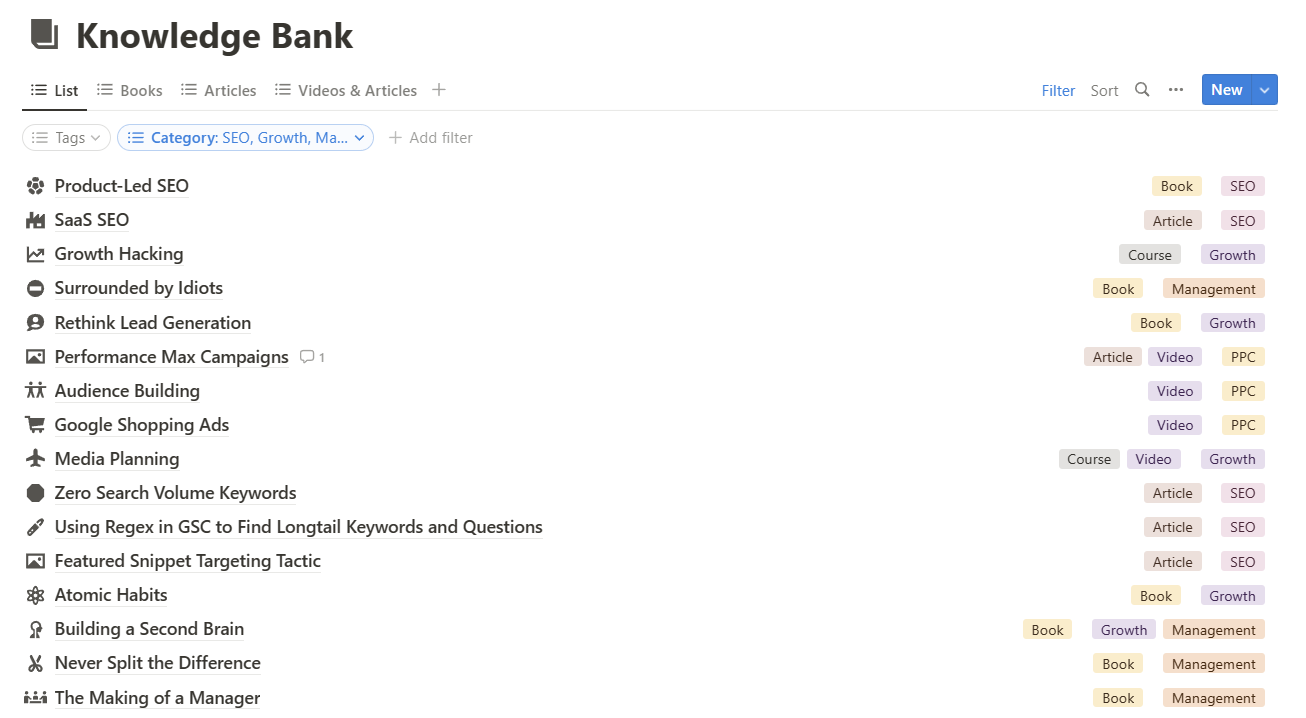
Let’s say I’m trying to convince some interested parties that it might be worth pursuing keywords with “zero search volume”.
In the middle of the conversation, I vaguely remember reading an article by Steve Toff about zero search volume keyword discovery, which showed strong evidence of its ROI potential.
In this case, I can quickly look up the article in my second brain and reference the article almost instantly.

How to make the most of your second brain? Exercise it!
My second brain is far from complete and probably always will be (much like our organic brains!).
The key here is to exercise our second SEO brain regularly so we get better at using it to store, retrieve and synthesize information.
Once you’re familiar, extend your second brain to other domains of life!
Our second brain goes far beyond SEO at Criclabs, the digital agency I’m running. We use it to track new hires, document company processes, run employee portals, and more.
The good news is that many of us already have a second SEO brain going, whether we know it or not. If you have a shared drive to store information or take occasional notes on your phone, your second SEO brain is already at work.
What you can do now is what SEOs do best, optimize it!
The views expressed in this article are those of the guest author and not necessarily Search Engine Land. Staff authors are listed here.
[ad_2]
Source link





