


If you’re a local business and find your Google Business Profile has been suspended, it can have a devastating effect on your business.
Your phone may stop ringing. Customers may stop coming to your location. The loss of income is real.
Your first instinct may be to panic and simply fill out the appeals tool without thinking too much about the consequences. But you have to know what you are doing before you start this process.
Read this entire article before starting the appeal process and learn what to do if your appeal is denied.
Common reasons why your GBP listing may be suspended
When your business listing gets suspended, you might wonder why. Here are some common reasons why GBP listings are suspended:
Keyword to fill in your company name. Using a postal address or a UPS store. Set up your listing at a virtual office or coworking space address. You have a Service Area Business (SAB) and are showing a physical address. You have an online-only business. You are in a high-risk business category, such as lawyers, plumbers, HVAC, locksmiths, rehabilitation centers, etc. If another company shares your same address, especially if it’s a residential address. You’ve made a bunch of changes/edits to your GBP profile in one session. The URL you add to your GBP profile forwards/redirects to another website or links to a social media page. If you change your listing from a store to a SAB, or vice versa. Having multiple GBPs in an area that has overlapping service areas. Your address or hours do not match those listed on your website or other online business listings or directories. List your business hours as 24/7. A manager of your listing had their account suspended, so your listing has also been suspended. You have created multiple listings for the same company at the same address. You have violated the terms of service of another Google tool or service. You have an account violation, such as having your email account suspended.
Sometimes you may not even have committed an infringement, as Google just wants to verify that you are a legitimate business. This may be because you are in a duress category such as locksmiths, HVAC, lawn care, lawyers, etc.
If you’ve violated a policy, you must fix the problem with your business listing before continuing with the appeals process.
Learn more: How to follow Google Business Profile guidelines
How to appeal your suspended Google Business Profile
Most businesses’ first reaction when their business listing is suspended is to panic and click on the appeals tool link and go through the motions. This is not the best approach.
Read it thoroughly Help support document when you appeal your suspended profile. This document contains crucial information about the appeal process and what you need to do to appeal your suspension. If you’re not sure what violation you might have on your GBP listing, or if you’re not sure your supporting documents meet Google’s requirements, it’s best to hire a Google Business Profile product expert before you nothing.
If you file an appeal and are denied because you submitted the wrong documents or did not correct your GBP listing information, you may be denied and barred from having a Google Business Profile. period
No one can guarantee reinstatement, but it’s better to be safe than sorry.
Be patient. Doing it right is better than panicking and doing this process incorrectly.
Dig deeper. Google Business Profile: The new suspension appeal process
Get the daily search newsletter marketers trust.
What to do if your Google Business Profile appeal is denied
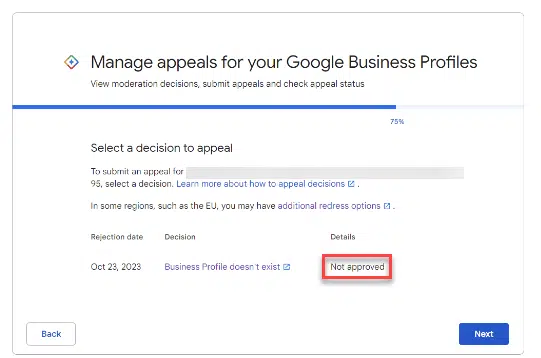
After completing the appeals tool, many businesses see the dreaded Not Approved status in the appeals tool and receive the email stating that their appeal has not been approved.
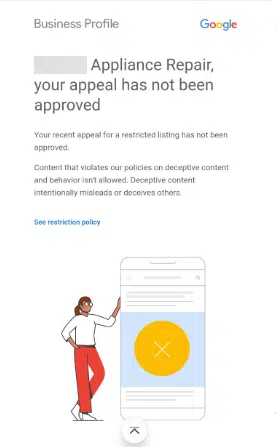
So what do you do if your appeal is denied?
You can ask Google to review your suspended GBP listing and send supporting documents.
The documents you can present are:
Official company registration A business license Tax certificates Company utility bills such as: Electricity Telephone Water Internet
For additional review, I always recommend submitting month documents and/or photos of what you did in the original appeal. This will provide more evidence for Google’s consideration. For example, if you did not provide a tax certificate in your appeal, include it in this additional review.
If you have a storefront business, provide photos of your permanent signage, which will prove to Google that you have a legitimate store. If you have a service area business, please provide photos of your branded vehicles, which you use for business purposes.
Remember that you can upload compressed files. Prepare all your documents and photos before taking the next steps.
Tip: For documents you submit as proof, please check and ensure that the business name and address exactly match your Google Business Profile.
Here’s how you can request an additional review of your appeal case.
First, make sure you’re signed in to the email you use to manage your Google Business Profile, then go to the request an additional review form. There, you will need to fill in all the fields:
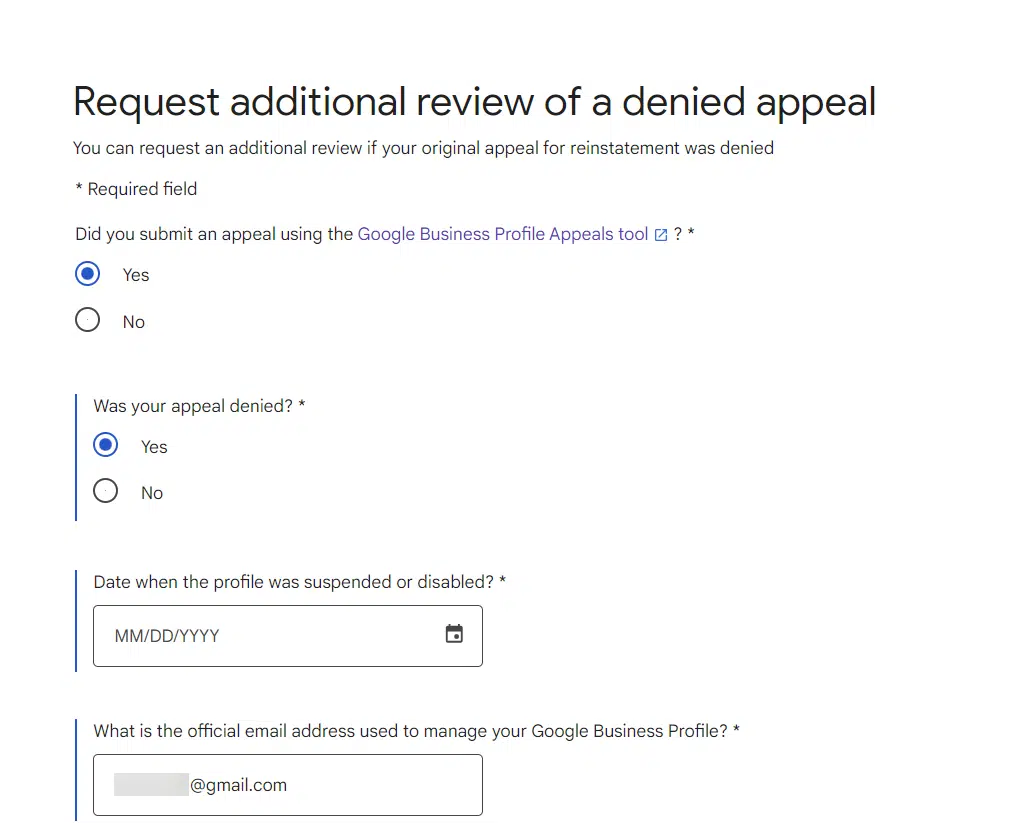
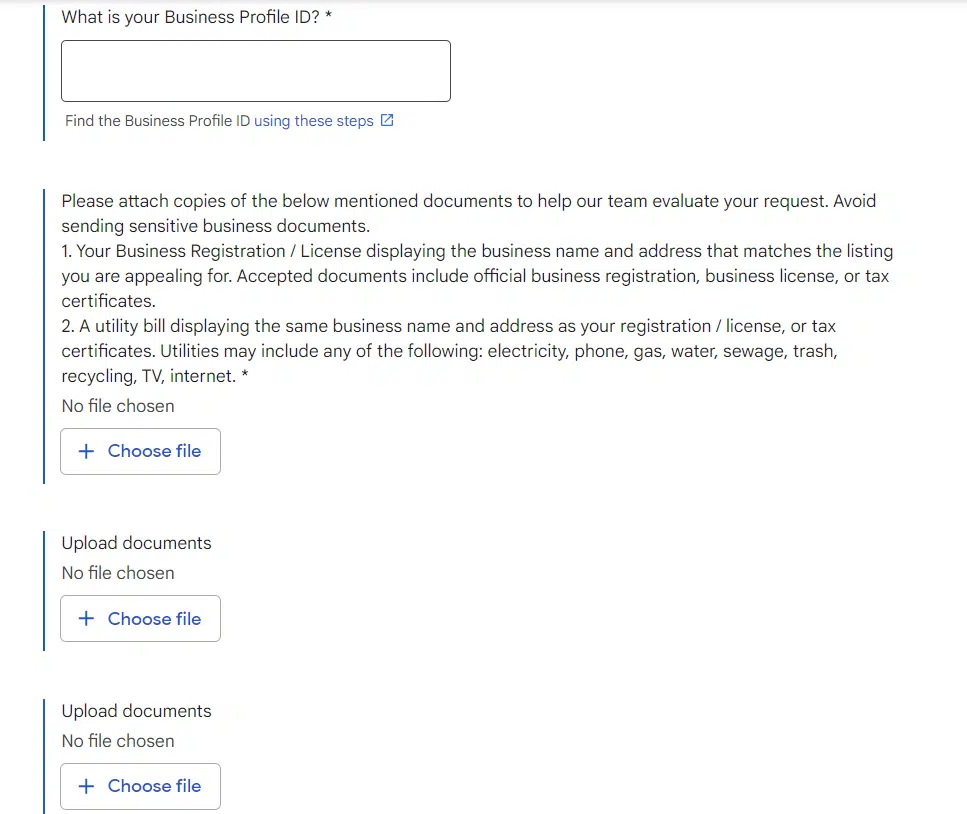
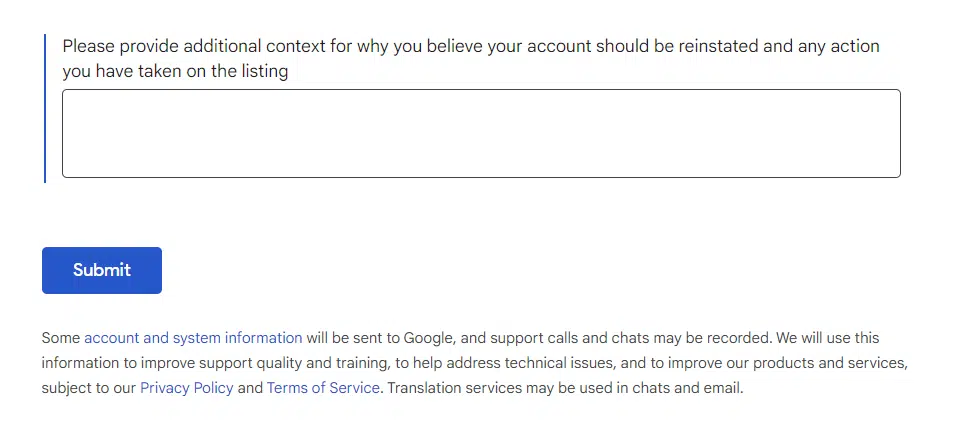
Be sure to fill out the narrative box explaining what you’ve done to fix your business listing and what documents and photos you’ve provided that prove you’re a legitimate business.
Providing a direct link to the Secretary of State’s list of companies is a good idea. Also, if you have an accredited Better Business Bureau listing, please also provide the link to your BBB listing.
Anyone who owns or manages your GBP listing can complete this form; must not be the same person who completed the original appeals tool form.
After completing this form, please allow up to five days before you receive an email with the results of the review. Please note that the results of this re-evaluation will not be reflected in the appeals tool. You should receive a case ID in the email you receive.
The email will let you know if your appeal has been approved or not.
One last chance
This last chance to have Google consider additional evidence that you didn’t provide in the original appeals tool is your last chance to prove to Google that you’re a legitimate business.
Take this whole process seriously. To increase the likelihood of your Google Business Profile being reinstated, make sure that:
The documents and photographs you provide are the correct ones required. Correct any violations your GBP listing may have.
You only have two chances to reinstate your suspended Google Business Profile. Do things the right way.
Dig deeper: How Google Business Profile’s predefined services can impact local SEO
The opinions expressed in this article are those of the guest author and not necessarily Search Engine Land. Staff authors are listed here.
[ad_2]
Source link





