


Do you understand who your customers are? Do you know what problems you are solving for your users?
User testing can help you determine exactly who your website is for and what communication they will respond to.
You can find out how much they know and what they think about your website and competitors. And you can use this knowledge to improve your website’s SEO approach and content strategy.
Ask users about their experience
User testing allows you to put yourself in the shoes of your customers. Start by learning about the experience of using your product or site from their perspective.
Examples of questions to ask:
What research have you done already? What sources do you use to learn more? Start with a Google search. What would you look for? What factors do you consider in making this decision? What features are you looking for? What is not important to you? What information/answers/experience are you hoping to find? What is your budget and timeline for making a decision?
See how your users’ responses compare to your assumptions. From there, you can track more specific aspects of the experience and gain perspectives from other types of users.
How to improve your content with user testing
Read your content like your users and make sure your site meets users’ intent. This can help you improve engagement, bounce and conversion rate.
Reorder your content sections based on the factors most important to your users. Explain the features users say they like using words they’ll understand. Make it easy to find answers to common questions. Address misconceptions or concerns in articles or FAQs. Include specific data, numbers, and costs that users are looking for.
Bonus: Answering user questions well can help you appear on People Also Ask.
Find new keywords and topics
When doing user testing, pay attention to the phrases your customers use and search for. You might find new synonyms for keywords or learn that your users understand common phrases very differently.
Does your user say they want to hire a staff or a contractor? Or are they more specific with a phrase like carpenter or plumber? Do they talk about budgeting as if it were a task or a tool? Do they “get to” plan a budget or do they “have to”? What words are different in your regional dialect? Do they say “shopping cart” or “buggy”? What about your search terms? For a local search, do they abbreviate their city name to “HHI” or write “Hilton Head Island” every time?
Plug these words into a keyword research tool like Ahrefs or Semrush to find keyword gaps or synonyms you might be missing out on ranking for.
You can also discover new content ideas to build your library to be more complete.
Identify tone and emotion
Users will leave a site that is frustrating, slow, or unhelpful. Identifying user emotions and reducing friction points can help you improve site bounce and engagement.
Have users navigate your website and ask specific questions about their experience.
Look for emotional cues
When a user is frustrated, you may see signs like:
Clicking or fast scrolling Sighs or pauses Vocal sounds of disapproval, such as tongue clicking Short, disjointed responses
When a user is confused, you can see:
Pause and slow scroll Scroll up and reread sections Ask questions out loud Click the back or top buttons
Ask for excitement
You can also ask users direct questions about their feelings during your user test. Then see if their responses match the mouse’s “body language”.
Examples of user questions:
How do you feel about buying this product? Describe how this place makes you feel and why. On a scale of 1 to 5, how satisfied does this article make you feel? Is there something frustrating or confusing about this page? How did you feel when you researched this topic? What surprised you about this place? What would have made this experience lovely?
Make an empathy map
Apply your user testing learnings to develop an empathy map for your users at each stage of the buying process.
Consider what your user wants to achieve, what they’re thinking and how they’re feeling. You can also break it down into different types of users or products.
You can then create targeted content for your buyers to address their top concerns and emotions.
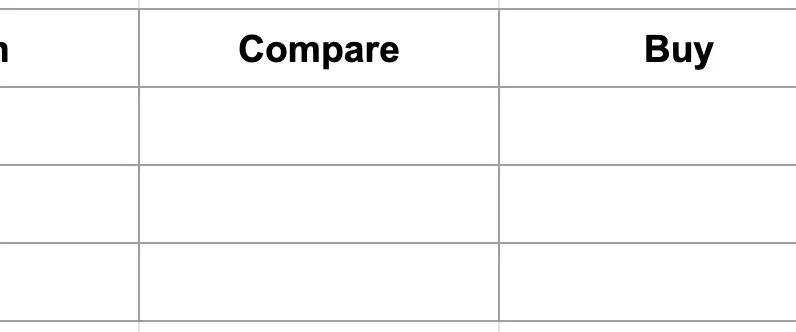
For example, let’s say you own a garden store. After user testing, you can develop a basic user map like this:
Connect keywords with emotions
This is a great exercise to combine with your keyword research, so you’re creating the most useful content possible. And helpful sites can rank better.
Keywords with “what/is” are likely in the learning stage, so help these users learn the basics.
Include plenty of details, images, links, and beginner’s definitions so that this user can satisfy their curiosity.
Keywords with “cost/com” are probably comparable. This user needs help narrowing down their options. Be sure to demonstrate EEAT to help them feel confident in their decisions.
Avoid false empathy
Don’t make the mistake of naming users’ emotions directly in copy. For example:
“We know you hate cleaning gutters. Call us to tackle the chore that makes you miserable.”
This kind of claim is obvious and may seem inauthentic. Instead, talk about what the user gets out of it and how you can help address a specific concern or risk.
“Get gutters clean in 30 minutes without climbing a ladder for just $100.”
You are offering the solution the user wants with a clear reason to choose your company. You’re showing that you understand how they feel and what they want without spending precious space talking about it.
Refocusing your CTA language on the user can increase your leads or your conversion rate.
Get the daily search newsletter marketers trust.
Discover previous knowledge and reading level
Your users’ reading comprehension skills are probably lower than you expect.
Half of Americans cannot read at a 6th grade reading level i struggle to read an 8th grade book. And almost a quarter of the population includes non-native English speakers.
User tests can help reveal how much your users know about common vocabulary and jargon. It can also help you understand how much they know about your site or product.
Examples of questions to ask users:
Define common and uncommon words. Rate how much they think they already know about a topic. Summarize an article they have just read. Give hypothetical advice to a similar user. List or choose from similar competing products or websites they’ve heard of.
To improve your content, clean up any jargon and fancy language. Use a free reader-level plugin or website to test how users will understand your site and compare it to your competitors’ content.
Write for your unique audience
You may also need to change the reading level of your content for your specific users.
For example, for a website with articles about driving schools for international students, you might be writing for non-native English speakers.
This means writing at a middle school reading level or below. Avoid phrases that don’t translate well, such as idioms, puns, and regional expressions.
You are also talking to someone who may not be familiar with the basic rules of the road. Lean into over-explaining and summarizing and include lots of links to informative articles.
You can also test your site’s UX with a feature like Google Translate enabled.
How to start doing user testing today
You can start doing user testing today without much effort.
Add a poll or comment section. Add a basic user survey to ask simple questions like “Was this page helpful?” or “Did this page answer your questions?” Include a link on your contact page for users who answer “No” so you can get more feedback. You can find free surveys to embed or plugins that are easy to install. Then set up a process to check for responses regularly.
Use a website dedicated to user testing. For example, UserTesting.com is a robust site that allows you to filter users by demographics, location, device, and custom questions. Set up questions and scenarios to ask users about your site, search results, competitors, and design prototypes.
Try live interviews. If your service or product is more hands-on or local, personalize with face-to-face or virtual user interviews. It takes longer to receive live feedback, but you can get more detailed and qualitative results. You can also get information about how users physically interact with your product.
How to get the most out of user testing
Ask more open-ended questions than binary (yes/no) questions. Ask follow-up questions to get better feedback, such as “Why or why not?” Tell users to say what’s on their mind out loud. Pay more attention to what users actually do than what they say they will do. Learn how to ask better questions every time you take a test. It’s better to go live with a test today than to wait until you have the perfect test.
Don’t make reading your website feel like a chore or a puzzle where users have to guess what you can do for them.
Ask users questions to understand what they need, then make sure your content delivers. This will help increase your site’s engagement and conversion stats and improve your rankings.
The views expressed in this article are those of the guest author and not necessarily Search Engine Land. Staff authors are listed here.
[ad_2]
Source link





