


OpenAI announced that it is launching a ChatGPT memory test, a new feature that remembers past conversations to learn about user preferences, remembers styles and tones, and format preferences.
ChatGPT gradually improves over time as it remembers all chats and eliminates having to repeat instructions.
The new feature is being rolled out as a limited release to some free and Plus ChatGPT users for testing and feedback. There are plans to extend the feature to more users in the future.
Memories are saved apart from chat histories, which is how they can be recalled in subsequent chat sessions.
Users control memory
The memory function can be selectively activated by telling it to remember something, and it can also be told to forget specific details or instructions. Memory is controlled through the settings panel, where specific memories can be deleted or completely disabled. There is also an option to delete all memories completely.
Configuration options are available in Settings > Personalization > Memory.
How to use ChatGPT memory
OpenAI shared examples of how to use the feature:
“You explained that you prefer meeting notes to have headlines, peaks, and action items summarized at the bottom. ChatGPT remembers that and summarizes meetings that way. You told ChatGPT that you have a neighborhood coffee shop. When brainstorm messages for a social post celebrating a new location, ChatGPT knows where to start. You mention that you have a young child and that he loves jellyfish. When you ask ChatGPT to help you create his birthday card, suggests a jellyfish wearing a party hat. As a preschool teacher with 25 students, you prefer 50-minute lessons with follow-up activities. ChatGPT remembers this when it helps you create lesson plans.”
Memory can be used for training
OpenAI advised that content provided to ChatGPT could be used for training, including memos, with an option in the data controls where it can be turned off. By default, no data is used for training. But this does not apply to ChatGPT Team and Enterprise clients.
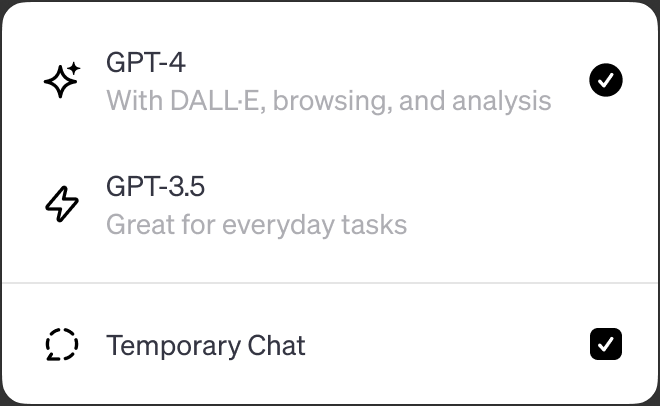
Another way to control ChatGPT memory is through temporary chats, which will not invoke the memory function. Temporary chats are enabled in the GPT version control at the top of the chat page.
According to one OpenAI temporary chat explainer:
“With temporary chat, you can have a conversation with a blank slate. ChatGPT will not be aware of previous conversations or access memories. It will still follow your custom instructions if enabled.”
Read the OpenAI announcement:
Memory and new controls for ChatGPT
Featured image by Shutterstock/rafapress
[ad_2]
Source link





