


With Google Analytics 4 (GA4) reporting, you can better understand the performance of your organic search efforts. Knowing how much traffic comes from Google or other search engines allows you to improve your SEO strategy for better results.
This article will cover how to view and analyze organic traffic data in GA4, key dimensions to consider such as source and medium, and key metrics to evaluate such as total users and sessions.
What is organic traffic?
Organic traffic is the traffic acquisition channel through which users arrive at a website through non-advertising links from organic search results.
Organic traffic can come from different search engine sources like Google, Bing, Ecosia, etc.
The other main traffic channels are:
Payment traffic: When users reach a website through ads on search engines, such as Google.
direct: When users go directly to a website by entering the URL.
reference: When users reach a website through non-paid links from other websites.
Social: When users reach a website through clicks on paid or organic social networks such as Facebook or X.
How is GA4’s organic website traffic measured?
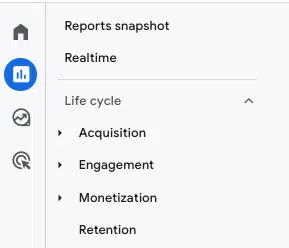
GA4 provides predefined reports to analyze site data. A key report is the Lifecycle Collection, which streamlines the analysis of the entire customer funnel, from acquisition to retention.
The Lifecycle collection is divided into four main groups of reports:
Acquisition report: This allows you to analyze how a site’s traffic was acquired, including organic traffic.
Engagement report: This provides user engagement data on the website, allowing you to measure key metrics such as conversions, events or landing pages.
Monetization report: This helps analyze revenue data, from the performance of promotions to the best-selling products on a site.
Retention Report: This allows you to analyze how a website or app retains users.
Measure organic traffic with the GA4 acquisition report
We will use information from the acquisition report to measure the organic traffic that comes to a website. However, it has different sections that can be a bit confusing.
So, to make sense of the report results, let’s look at how GA4 organizes information by default.

The GA4 acquisition report is divided into two main groups:
User Acquisition Report: This provides data on how users were first acquired on the website.
Traffic acquisition report: Works at the session level and helps identify which campaign each session came from.
With GA4’s traffic acquisition report, you can analyze organic traffic based on different dimensions:
By default, channel groups
Default channel groups are the channel groups through which users arrive at the website.
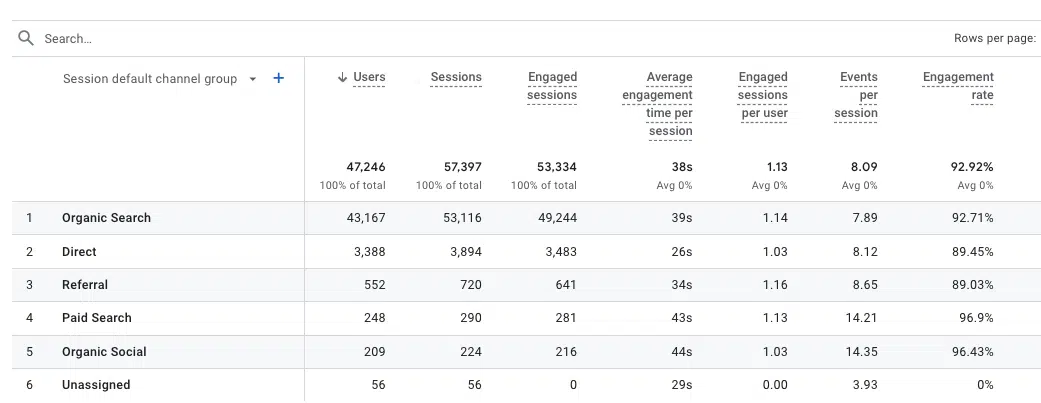
In this set, you can see that GA4 provides, by default, several non-editable groupings that allow you to track organic traffic to your website:
Organic search is the channel through which users reach your site through non-advertising links in organic search results.
Ecological purchases is the channel through which users reach your site through non-advertising links to shopping sites like Amazon or Etsy.
Social organic is the channel through which users reach your website through non-advertising links to social sites such as Facebook or X.
Organic video is the channel through which users reach a site via ad-free links to video sites like YouTube or TikTok.
All of these organic traffic channel groups with data will be displayed by default in GA4: Reports > Traffic Acquisition > Session Default Channel Group.

If you want to show only this data in traffic results for organic channel groups, one option you have is to filter by search engine by searching for “organic”:

In addition to the default channel groups for analyzing organic traffic, GA4 also has others default channel groupsincluding:
Affiliates Audio Inter-Network Direct View Email Mobile Push Notifications Paid Other Paid Search Paid Shopping Paid Social Paid Video Referral SMS
Through
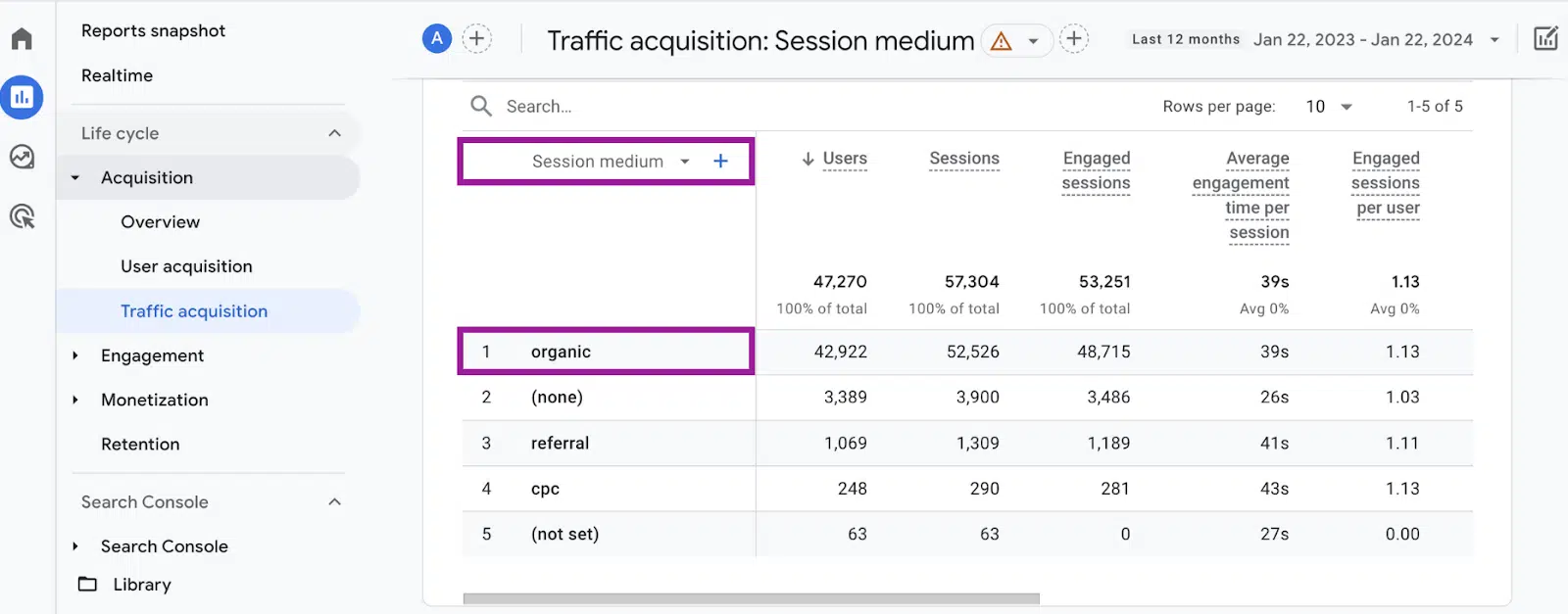
From the same report, you can analyze organic traffic across the medium dimension, which involves the method of attracting users to a website or application.
Media included in GA4 are:
organic: Users who clicked on a link from a search engine using non-advertising links.
affiliate: Users who clicked on a link through an affiliate program.
cpc: Users who clicked on a paid ad.
e-mail: Users who clicked on a link in an email marketing campaign
reference: Users who clicked on a link from another website.
(head): Direct traffic from the site.
To analyze organic traffic through the Average dimension, go to Reports > Traffic Acquisition > Session Average.
By source/medium
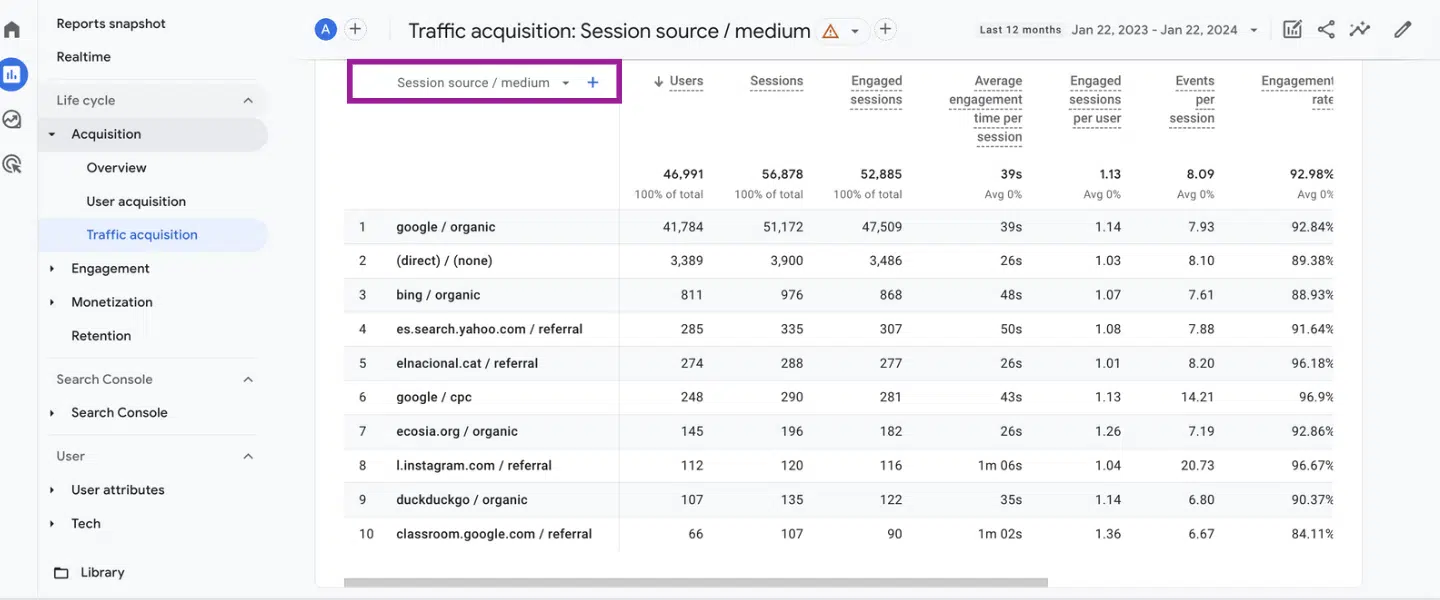
If you want to understand where your website visitors are coming from, don’t just use the average dimension. Note the specific website or platform that directed them to your site or source dimension.
This helps you know the actual source of your web traffic, such as whether it’s coming from Google Search, which is labeled as “google” in the session source dimension.
This information helps you draw meaningful conclusions about the effectiveness of your digital traffic-generating strategies.
To display this data, go to Reports > Traffic Acquisition > Session Source/Medium.
For example, the results below allow you to see traffic coming from organic channels and filter specifically by source (eg google, bing, ecosia.org or duckduckgo).
Get the daily search newsletter marketers trust.
Key metrics for analyzing organic traffic in GA4
By default, the GA4 Traffic Acquisition report shows you different metrics to help you understand and analyze your data.
Among the most common metrics are:
users: The total number of active users.
Sessions: The number of sessions that are started on the site. A session is activated when a user opens the application in the background or views a page or screen and there is no active session at that time.
Sessions involved: Total number of sessions involved. For sessions to be included in this column, they must last at least 10 seconds or have 1 or more conversion events or 2 or more page or screen views.
Average time of participation per session: Duration of user interaction per session.
Sessions involved per user: Total number of sessions involved per user.
Events per session: Average number of events per session.
Commitment fee: The percentage of engaged sessions.
Events count: The number of times users have triggered an event. You can filter by each type of event.
Conversions: The number of times users triggered a conversion. Each can be analyzed individually.
income: the total revenue from purchases, subscriptions and advertising. This must be manually configured beforehand.

To track conversions or revenue results, you must have these dimensions set up and configured to collect the data.
Dig Deeper: GA4 for B2B: How to Track Events and Conversions
How to add more metrics to your reports for organic traffic analysis
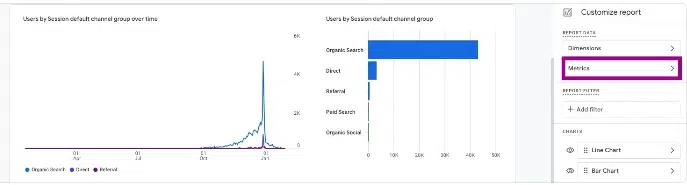
If the default metrics aren’t enough to analyze your website’s organic traffic, you can customize the report by adding more. Look for the customization option at the top right of the page.
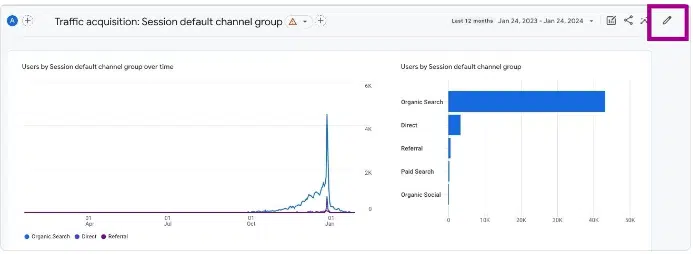
Customizing reports allows you to include more metrics or edit the default ones:
Google Search Console Traffic Analysis in GA4
If you want to analyze Google organic traffic from Google Search Console, you need to do it in another report, specifically the Search Console with GA4 report.
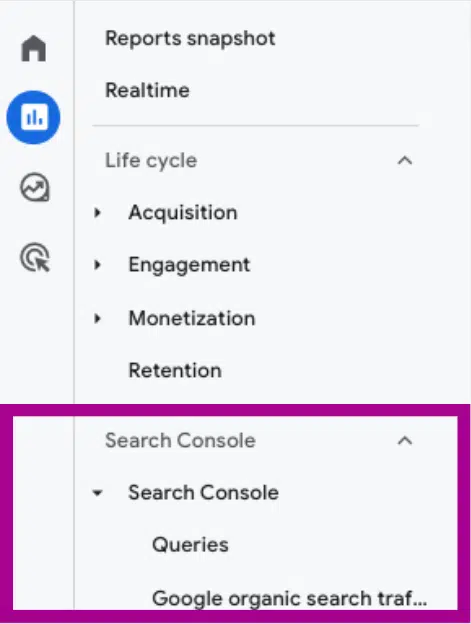
The report is not automatically displayed in the GA4 interface. But it does provide information about the search queries people use on Google to get to your website.
It also includes another report on the performance of specific pages on your site in terms of Google search traffic.

Dig Deeper: How to link GA4 with Google Search Console
Measuring organic traffic in GA4
Google Analytics 4 provides detailed information about your website’s organic traffic acquisition using its default channel groups, media, and source/medium dimensions.
Key metrics such as users, sessions, engagement rates and conversions allow you to analyze the performance of your organic search strategy and identify opportunities to improve it.
GA4’s integration with Google Search Console also gives visibility into search terms that drive traffic to specific pages. Monitor this data regularly so you can optimize your content and site architecture to improve your organic search results over time.
The views expressed in this article are those of the guest author and not necessarily Search Engine Land. Staff authors are listed here.
[ad_2]
Source link





