


A High-rated vulnerability in a Google Fonts optimization plugin for WordPress was recently patched, allowing attackers to delete entire directories and upload malicious scripts.
OMGF | GDPR/DSGVO compliant WordPress plugin
The plugin, OMGF | GDPR/DSGVO compliant, faster Google Fonts. Easy., optimizes the use of Google Fonts to reduce the impact of page speed and is also GDPR compliant, making it valuable for users in the European Union who want to implement Google Fonts.
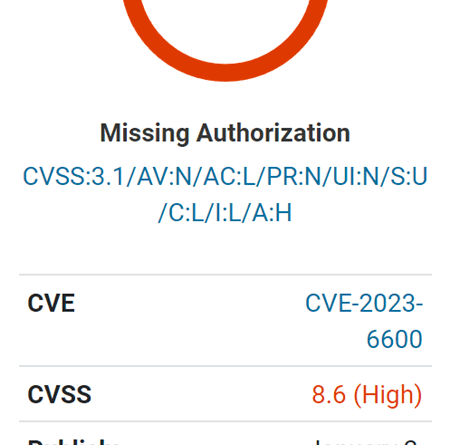
Screenshot of Wordfence Vulnerability Rating
vulnerability
The vulnerability is of particular concern because it allows unauthenticated attackers. “Unauthenticated” means that an attacker does not need to be registered with the website or have any level of credentials.
The vulnerability is described as enabling unauthenticated directory deletion and the loading of Cross-Site Scripting (XSS) payloads.
Cross-Site Scripting (XSS) is a type of attack where a malicious script is uploaded to a website server, which can then be used to remotely attack the browsers of any visitors. This can result in access to a user’s cookies or session information, allowing an attacker to assume the privilege level of that user visiting the site.
The cause of the vulnerability, as identified by Wordfence researchers, is the lack of a capability check – a security feature that checks whether a user has access to a specific feature of a plugin, in this case , an administrator-level role.
an official WordPress developer page for plugin makers it says this about the ability check:
“User capabilities are the specific permissions you assign to each user or user role.
For example, administrators have the “manage_options” capability that allows them to view, edit, and save options for the website. Editors, on the other hand, do not have this ability which will prevent them from interacting with the options.
These capabilities are then checked at various points in the Administrator. Based on the capabilities assigned to a role; menus, functionality, and other aspects of the WordPress experience can be added or removed.
As you build a plugin, make sure to run your code only when the current user has the necessary capabilities.
Wordfence describes the cause of the vulnerability:
“… is vulnerable to unauthorized data modification and cross-site script storage due to a missing capability check in the update_settings() function connected via admin_init in all versions up to 5.7.9 inclusive”.
Wordfence also claims that previous updates attempted to close the security hole, but it considers version 5.7.10 to be the most secure version of the plugin.
Read the Wordfence vulnerability warning:
[ad_2]
Source link





