


Google Analytics 4 introduces three new reports that allow you to seamlessly analyze data from your integrated 360º advertising platforms:
Campaign Manager 360 Report: A ready-made report that demonstrates how your CM360 campaigns drive traffic and conversions to your website or app.
Display & Video 360 report– A detailed pre-made report that shows how effective your DV360 campaigns are in driving traffic and conversions to your website or app.
Search Ads 360 report: A detailed predefined report that shows how effective your SA360 campaigns are in driving traffic and conversions to your website or app.
What is CM360? Campaign Manager 360 is an online tool for advertisers and agencies. It helps manage digital campaigns on websites and mobile platforms, offering features for ad serving, targeting, verification, and reporting.
What is DV360? Display & Video 360 is a tool that helps marketers run digital advertising campaigns by making it easy to create ads, manage audience data, buy inventory and optimize campaigns effectively.
What is an SA360? Search Ads 360 is a search management platform designed to help agencies and marketers efficiently manage global search marketing campaigns, spanning multiple search engines and media channels.
Why we care centralizing these reports in a convenient location not only saves sellers time but also simplifies their tasks. This information is critical to understanding how campaigns influence website traffic and conversions, allowing marketers to make informed optimization decisions for optimal campaign performance. Therefore, it is important to have easy access to this data.
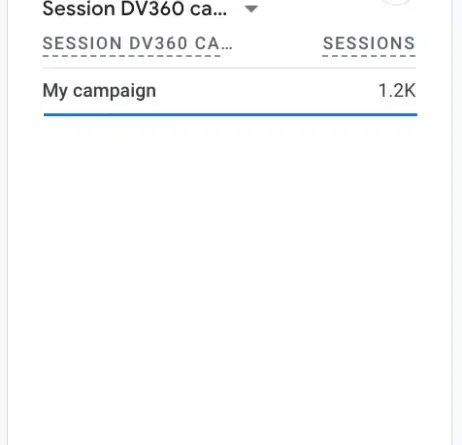
Starting. Once you’ve successfully integrated your 360 ad platforms, you can find the new GA4 reports by choosing the specific integration summary card in the acquisition overview report. For example, if you integrate with Display & Video 360, you’ll find “View Display & Video 360 campaigns,” which will lead to the new Display & Video 360 report:
If you unlink a buying platform from your property, you can still access the realavnt report via the Acquisition Overview report to continue analyzing historical data.
New dimensions of the traffic source. For the new acquisition reports, Google has introduced additional traffic source dimensions. These dimensions are accessible when you link to Campaign Manager 360, Display & Video 360, and/or Search Ads 360, and are applicable at the event, session, and user levels.
This update enables you to use cross-channel dimensions to understand cross-channel acquisition data, such as:
source Session source. Source of the first user.
Additionally, you can leverage integration-specific dimensions such as SA360 Source, SA360 Session Source, and SA360 First User Source to examine acquisition data for a specific buying platform to help you better understand where your traffic is coming from.
Improvements to GA4 AdSense integration. You can now directly link GA4 properties to AdSense accounts in Analytics. If you use GA4 sub-properties or cumulative properties, you can link these properties to AdSense accounts, regardless of the source properties.
Get the daily search newsletter marketers trust.
deep dive Read Google’s Search Ads 360 integration guide to learn more about the process and benefits of linking your GA4 property to your Search Ads 360 advertiser.
[ad_2]
Source link





